 Super Ace Evidence
Evidence-led reference / JILI SUPER ACE
Make a claim-to-source record
Break a broad claim into smaller checkable statements. Store each statement beside a page address, the relevant section and the date you read it.
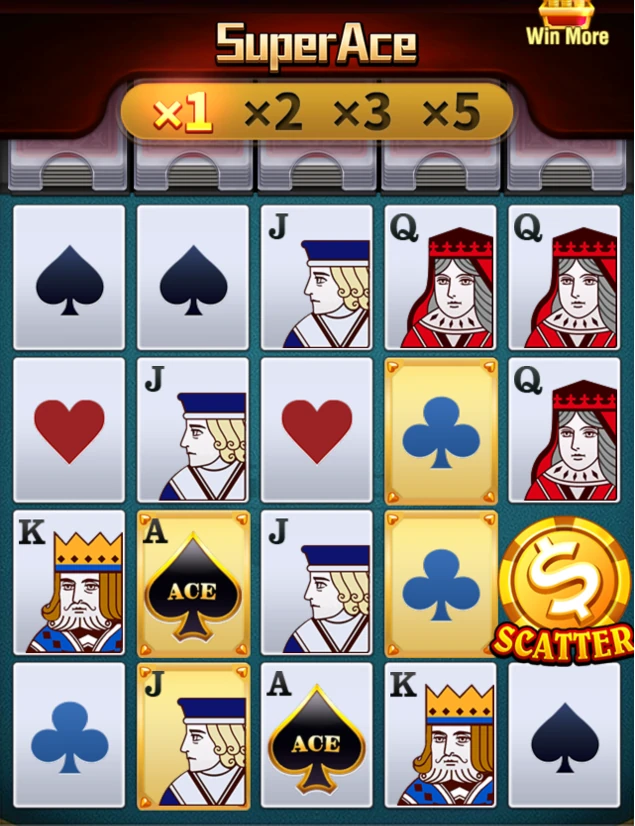
Put the reading into practice
Use the provider page for product identification and the current rules for detailed conditions. An attractive image may establish appearance while leaving the mechanism unexplained.
- Identify the exact question and the game release it concerns.
- Keep the relevant screen label next to the source section.
- Separate what is directly visible from what still needs confirmation.
Reference point. The JILI product page identifies Super Ace as a slot with 1,024 ways and names Free Game, Free Spin and Multiplier features. It describes a Golden Card changing into a Golden Joker after elimination. Check the applicable in-game rules for detailed conditions.
Distinguish interface controls from game rules
The published interface guide separates game rules, bet selection, history and sound controls. Their placement should be checked on the current device.
Worked reading exercise
In a still image, label the control that opens information without activating a paid round. On a small display, check that text remains readable and that the menu can be closed. A phone layout may arrange controls differently while referring to the same game.
Keep the scope clear
This article focuses on evidence-led reference. Examples are reading aids, and do not predict a future round. The current rules and paytable remain the reference for the version on your screen.